Dreaming of a ten-year computer
I want my current computer to last for a decade. That’s an eternity in the tech world, far longer than most people keep their hardware, but I don’t think it’s an unreasonable goal. Personal computers keep getting faster, but my needs aren’t changing.
I use my computer for the same fundamental tasks I did ten years ago: browsing the web, writing, editing photos, running scripts, and building small websites. Today’s computers can do all that and have power to spare. You can still push their limits with high-end tasks like video editing, 3D modelling, or gaming – but I don’t do any of those things.
I don’t need the latest and greatest, and I haven’t for a long time. Add in the expense, the hassle of upgrading, and the environmental impact of new hardware, and you can see why I’m keen to use my computers for as long as possible.
This won’t be easy. My needs might not change, but the world around me will. I won’t get software updates forever, the web is a bloated mess that becomes more resource-hungry every day, and AI may introduce unforeseen demands on my computer. I’ve had to set up my computer carefully to give it the best chance of lasting the decade.
In my first job, we sold telecoms hardware that sat in data centres for years, unmodified. We had to write software updates that would run on the machine as-is, because hardware upgrades were impossible. If a new feature needed more resources, we had to find a way to make the existing code more efficient to compensate. It was a stark contrast to cloud computing, where a more powerful machine is just a few clicks in a console. We had to be in the habit of thinking about efficiency, because there was no other option.
That habit has stuck. I try to be efficient my personal devices, and I’m very conservative about what I install – what apps, dependencies, and processes I allow to run.
- I limit what runs in the background. Currently, I have just four apps that are always running: Alfred, Backblaze, Tailscale, and a small static web server.
- I browse the web on my own terms. I disable JavaScript by default. It breaks a lot of websites so I can’t recommend it for everybody, but it makes my computer run faster and cooler. It’s hard for bloated websites to slow me down when they can only serve HTML and CSS.
- I’m comfortable ignoring AI. I don’t do much with AI, and right now I have little interest in exploring it further. Even if I do, the most powerful models run in cloud data centres – so if my local machine starts to fall behind, I won’t be missing out.
- I use lots of static websites. These are very lightweight, and they provide easy access to my media collections – my bookmarks, movies, TV shows, and so on. This is ’90s era web tech that still works brilliantly today.
I also write a lot of my own tools. If something feels slow or sluggish, I don’t have to buy a faster machine; I can look for a way to improve my code.
This might look like a process that requires discipline, but at this point it’s just my standard routine. I’ve always tried to use my computer efficiently and it’s meant my computers last a long time; it’s only with my latest purchase that I’ve made it an explicit goal.
Why now?
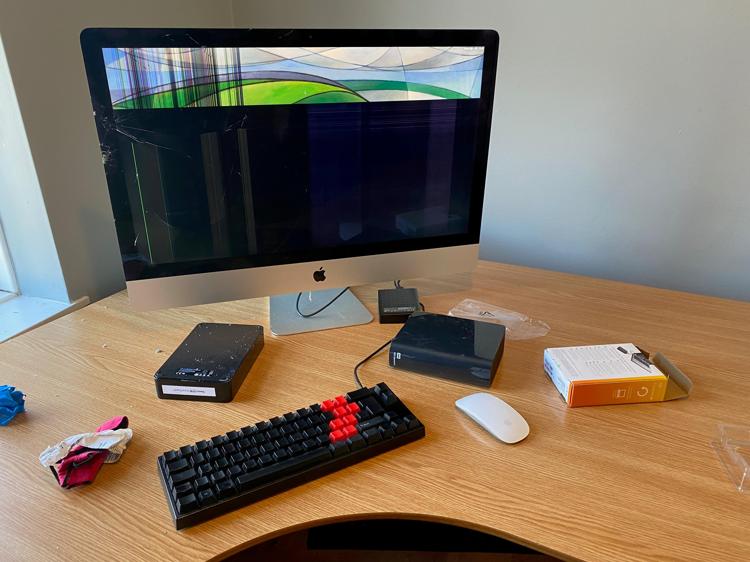
I bought this computer as I was wrapping up my career in digital preservation, and that’s why I approached it with such a long-term mindset. In that job, I’d been designing collections to survive over decades and centuries; what seems like an eternity in tech is a heartbeat in heritage. With that mindset, trying to keep a computer for a decade didn’t seem so ridiculous – especially when I remembered that I almost did it already, with an eight-year-old iMac that was running perfectly until the desk underneath it collapsed, a calamity that would kill any computer.
Global politics is another factor; I’m keen to avoid needing to buy a new computer in the near future, because I’m not sure how easy it will be. Right now I can just walk into a high street store, but that relies on a fragile and complex supply chain that’s showing cracks.
I bought my computer in November 2024, just after Trump was re-elected as US president, and his campaign threatened heavy tariffs and trade wars. A year later, that trade uncertainty has become the status quo; his war with Iran threatens global energy markets; computer prices are rising as parts are diverted to AI data centres; and the majority of the world’s microprocessors are still built in Taiwan, under the constant shadow of a Chinese invasion. And the background to all of this is climate change, which won’t make manufacturing computers any easier.
I hope I’m wrong, and that buying a new computer continues to be as simple as it is today. But if I’m right, and they become scarce or expensive, I’ll be glad to have a device that I’m ready to use for years more, rather than be stuck with something too slow that I can’t afford to upgrade.
I’ll have to replace it eventually, but hopefully I can be patient and outlast any short-term disruptions to the supply chain. And if there are long-term disruptions, I’ll have more time to plan my next purchase.
What computer did I buy?
I have a home office with a fixed setup, and my main computer is a desktop, which makes this easier – I don’t know if I could make a laptop last ten years. A desktop never moves, so it’s less vulnerable to dings and drops (assuming the desk stays standing), and there’s no internal battery to degrade or swell. I also don’t eat or drink at my desk, so there’s minimal risk of liquid damage.
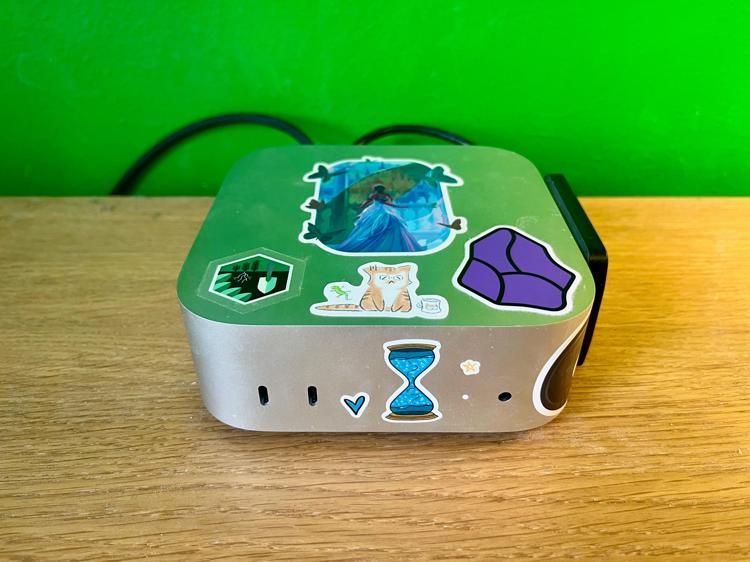
I use Macs, and Apple offers three Mac desktops: the Mac mini, the Mac Studio, and the Mac Pro. The Studio and Pro are overpowered for my needs, and while that extra power would give me headroom, it would be a lot of extra expense for marginal gain. Instead, I looked at the Mac mini.
When I was buying, Apple offered two stock configurations of the Mac mini: an M4 chip with 16GB of RAM and 256GB of storage for £599, or an M4 Pro chip with 24GB of RAM and 512GB of storage for £1399. Both models got favourable reviews and seemed like good value, because they avoid Apple’s egregiously-priced upgrades.
I bought the M4 Pro rather than the base M4 – I think I’d been fine with the base M4 for now, but 16GB of RAM might become tight as macOS gets more memory hungry. I do want some headroom, I just don’t want to pay Mac Studio prices for it.
I’ve expanded the storage with a 4TB external SSD which is permanently plugged in. It was much cheaper than Apple’s upgrades, and it means I won’t run out of space any time soon. It also reduces wear on the internal SSD, which feels like the most likely component to fail.
The big question mark is software support, and I’m keeping my fingers crossed. Macs are typically supported by the latest version of macOS for six to eight years, and they get security updates for another two years after that. That should take me close to a decade, if not all the way.
For comparison, the M1 MacBook Air was released in November 2020, and I expect it will still be supported in this year’s macOS 27 release. Apple have already announced that this release will drop support for Intel Macs; it would be aggressive to drop M1 support at the same time, especially as an M1 MacBook Air was on sale at Walmart until a few weeks ago. If so, the M1 will get macOS updates until at least autumn 2027, and security updates until 2029 – a nine year span. Suddenly, running my M4 Mac mini for ten years doesn’t feel so ridiculous.
Apple’s hardware is in fantastic shape, and I absolutely believe their Mac minis can run for a decade without failing. (Maybe their hardware chief should be in charge of more things?) There’s always a risk of buying a lemon which has a manufacturing defect, but I’ve had mine for over a year and nothing has failed yet. I’m confident this machine can go the distance.
One year down, nine years to go
So far, it’s great – my Mac mini is a fantastic machine. It never feels slow; it’s never crashed; it takes up a tiny space on my desk; and I have enough storage that I never need to worry about cleaning up files. It’s just what I want a computer to be – an appliance I never have to think about.
You’d expect it to feel easy right now, because I’m still in the usual lifetime of this product. This will get harder over time, and the first year will be easier than the final year, but it’s still an encouraging start.
I hope that I’ve bought a decade of not having to think about hardware. Modern computers are ridiculously capable, and short of a catastrophic failure, it’s hard to imagine a reason to upgrade.
See you again in 2034!